Intuit for Education
Content Search redesgin

Intuit for Education
Content Search redesgin

Product Manager

Product Manager

Product Manager

Intuit for Education logo on a laptop.

Background

Background

Intuit for Education is a platform that hosts personal finance education based content. 

The target audience is high school teachers and students.


The goal of the product is to empower students and teachers with resources to learn personal finance, in order to create the most financially literate generation.


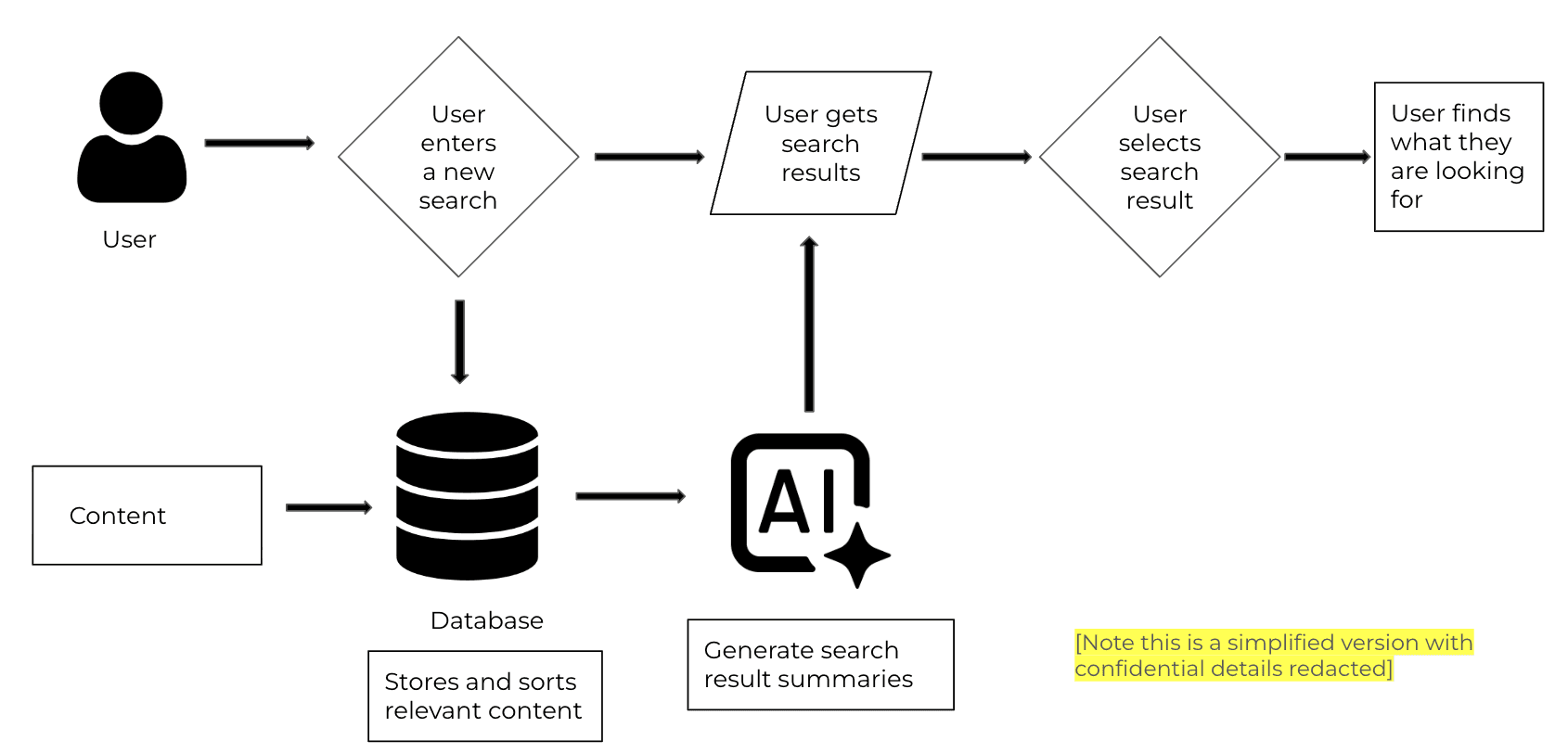
The specific feature I was working on is the AI assisted content search. The search is used to help surface resources to teachers who are looking for specific pieces of content to use in their classrooms. The AI then summarizes the top 5 most relevant pieces of content on our platform so the teacher can decide which specific resource to look at.


Intuit for Education is a platform that hosts personal finance education based content. 

The target audience is high school teachers and students.


The goal of the product is to empower students and teachers with resources to learn personal finance, in order to create the most financially literate generation.


The specific feature I was working on is the AI assisted content search. The search is used to help surface resources to teachers who are looking for specific pieces of content to use in their classrooms. The AI then summarizes the top 5 most relevant pieces of content on our platform so the teacher can decide which specific resource to look at.

A workflow diagram detailing how the AI summarizes the search result content.

Responsibilites

Responsibilites

  • Create clear and concise product requirements documentation to record engineering and design requirements

  • Communicate cross functionally with both technical (i.e. engineering) and non-technical (i.e. curriculum design) stakeholders

  • Run bi-weekly team stand-up meetings to coordinate and delegate weekly work

  • Use data in Tableau and Amplitude to determine project scope and priorities

  • Coordinate and conduct UX interviews and research

  • Lead brainstorming and ideation sessions in Miro and Figma

  • Present at stakeholder meetings with leadership and manage stakeholder relationships

  • Define metrics of success with data science teams

  • Create system to monitor and track key metrics

  • Coordinate project launch schedule

Problem

Problem

Despite having a search experience on our platform, users still struggled to find their desired resources in our content library. After conducting user research, I discovered that the search experience had usability issues that negatively impacted its discoverability and completion rate.


The problem statement:

I am a high school educator on the Intuit for Education platform

Trying to find a specific resource to use in my classroom to teach a personal finance topic

But I can’t find what I am looking for

Because the search experience is hard to follow

Which makes me feel confused, as I can’t find what I need in their content library 


Hypothesis:

If educators can better understand the flow of the search because the experience is easy to follow, then they will be more likely to go through the entire search process and identify which resources they need, which we will measure by tracking search starts and search completes.
Updates to Improve Discoverability

Updates to Improve Discoverability

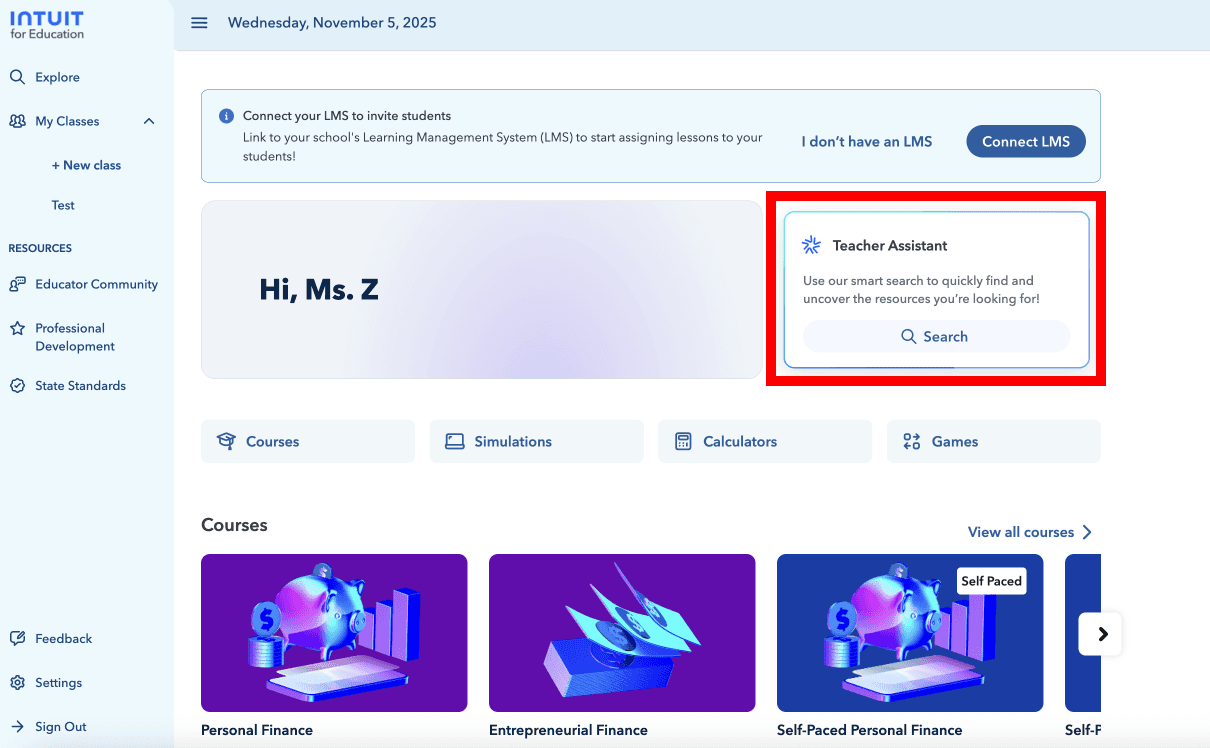
An image showing the prior search experience in a chat box like user interface.

User research showed that users thought the "Teacher Assistant" was an AI assisted chatbot, not a search experience. This led to the search experience's low discoverability.
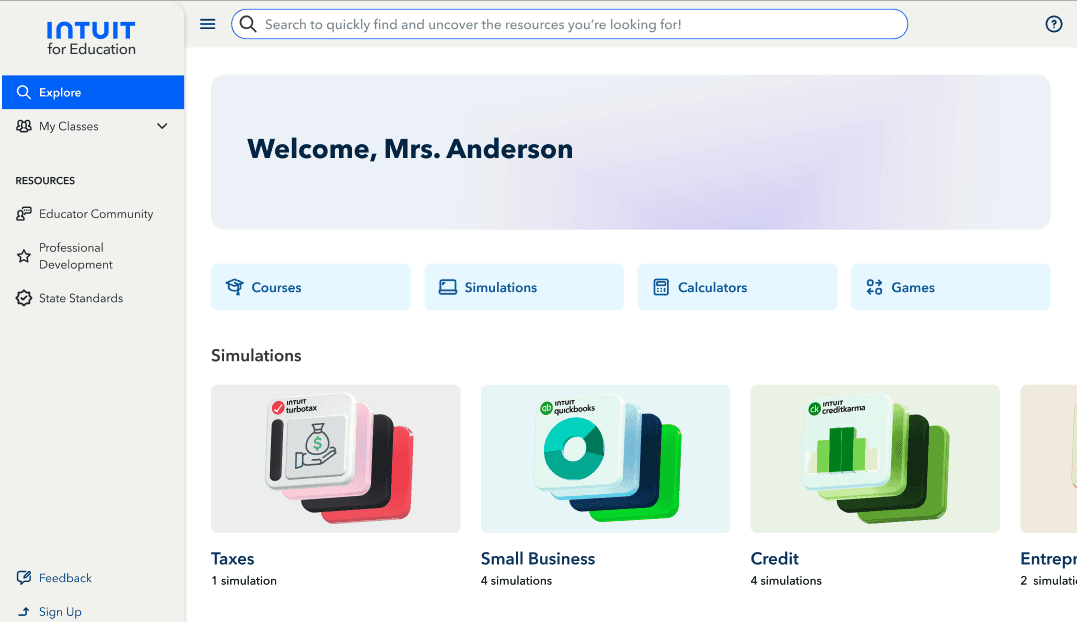
An image showing the updated search experience as a search bar.

By updating the home page to show the search experience as a search bar instead of branding it as the "Teacher Assistant," the search experience is now in line with the usability principle of consistency and standards. This improves the usability of the search experience, as users will be able to more easily recognize the experience because it is similar to other search bars across the web.

An image showing the updated search experience as a search bar.

By updating the home page to show the search experience as a search bar instead of branding it as the "Teacher Assistant," the search experience is now in line with the usability principle of "Consistency and Standards." This improves the usability of the search experience, as users will be able to more easily recognize the experience because it is similar to other search bars across the web.

Product Updates to Improve Search Completion

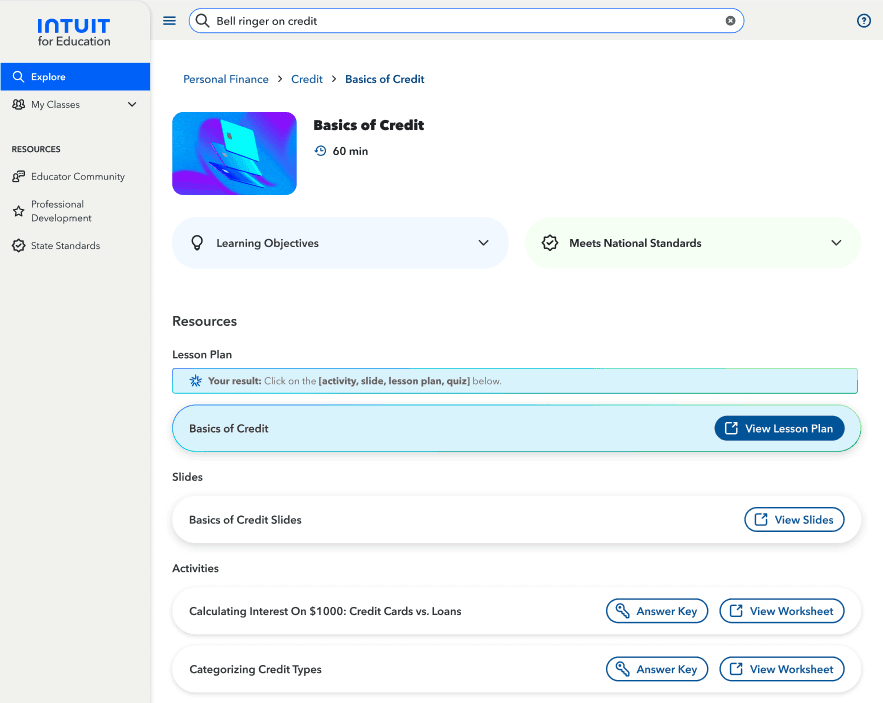
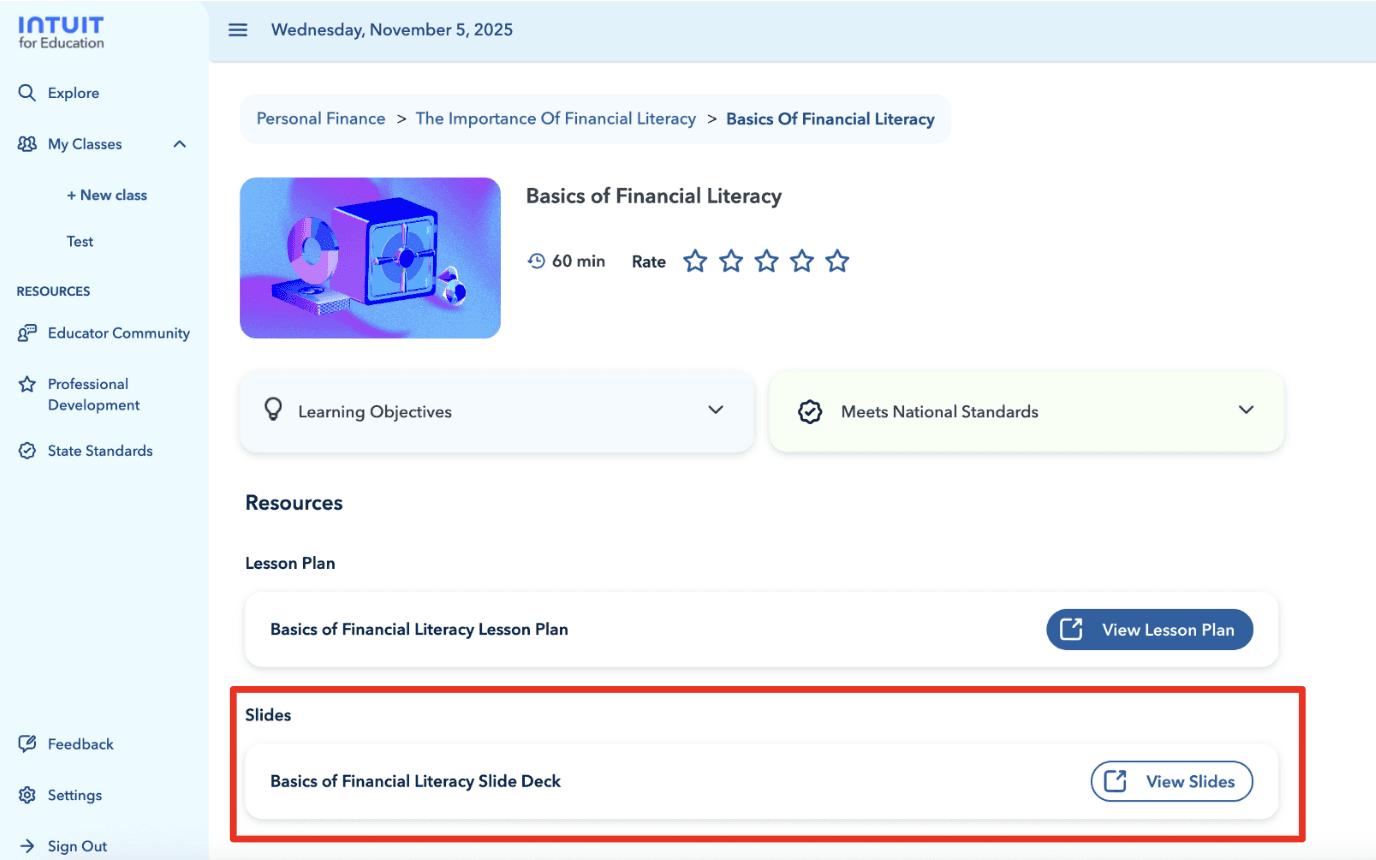
An image showing the previous search result, not highlighted on the page.

User research showed that users expected to be taken directly to their desired resource after clicking on it in the search experience. However, users would instead be dropped on a content overview page, where they would have to hunt for what they searched for. There was no indication on the page to show the user what their desired resource was, leading many users to believe they landed on the page by accident.

An image showing the updated result experience, with the result highlighted.

Now, when applicable, the user's desired resource will now open directly after being clicked. However, if the users desired resource is a 3rd party document (i.e. a Google Doc), the user is still taken to a content overview page, but the resource will now be highlighted. This aligns the search result experience with the usability principle of "Recognition vs Recall", which states that recognizing information is easier than recalling it. Because of this update, users can now see the resource they were searching for instead of having to remember what they searched for.

Impact

Search Completion

An image showing the previous search result, not highlighted on the page.
  • More users are discovering the search bar than before, shown by an 11% increase in search starts.

  • More users are able to find the resource that they were searching for, as shown by a 5% increase in completed searches.

  • As both success metrics for this feature update improved, the usability improvements were shipped to 100% of users and are now live in production.

User research showed that users expected to be taken directly to their desired resource after clicking on it in the search experience. However, users would instead be dropped on a content overview page, where they would have to hunt for what they searched for. There was no indication on the page to show the user what their desired resource was, leading many users to believe they landed on the page by accident.

An image showing the updated result experience, with the result highlighted.

Now, when applicable, the user's desired resource will now open directly after being clicked. However, if the users desired resource is a 3rd party document (i.e. a Google Doc), the user is still taken to a content overview page, but the resource will now be highlighted. This aligns the search result experience with the usability principle of "Recognition vs Recall", which states that recognizing information is easier than recalling it. Because of this update, users can now see the resource they were searching for instead of having to remember what they searched for.

Impact

  • More users are discovering the search bar than before, shown by an 11% increase in search starts.

  • More users are able to find the resource that they were searching for, as shown by a 5% increase in completed searches.

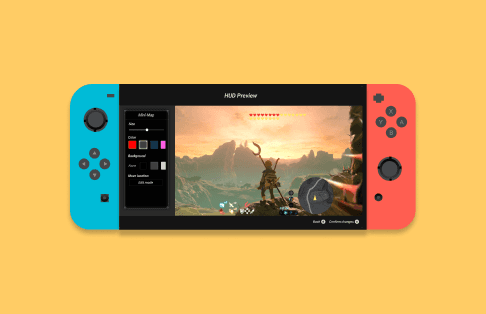
A nintendo switch showcasing a new product designed by Edith.

University of Michigan

Final Capstone Project

University of Michigan

Final Capstone Project

Created new feature to improve accessibility of video games for low vision players. Awarded 1st place in University of Michigan School of Information student expo.

Zillow group logo
Zillow group logo
Zillow group logo

Zillow Group

Product Manager, Hackweek

Zillow Group

Product Manager, Hackweek

Pitched a new search functionality that would improve the home shopping experience for an estimated 8 million potential monthly users (14% of monthly user base).

Create a free website with Framer, the website builder loved by startups, designers and agencies.